Apple Watch vs Oura Ring: Which Health Tracker Is Better in 2026?
Key Takeaway
The Apple Watch and the Oura Ring represent two fundamentally different philosophies about health tracking. One sits on your wrist, does everything, lights up constantly, and dies by bedtime. The other disappears on your finger, tracks you passively, and quietly delivers insights you didn't know you
Affiliate Disclosure: BetterVitals may earn a commission from purchases made through links in this article, at no additional cost to you. This supports our independent research and analysis. We only recommend products we believe in after thorough evaluation.
Medical Disclaimer
This article is for educational purposes only and is not a substitute for professional medical advice, diagnosis, or treatment. Always consult your healthcare provider before making health decisions.
Apple Watch vs Oura Ring: Which Health Tracker Is Better in 2026?
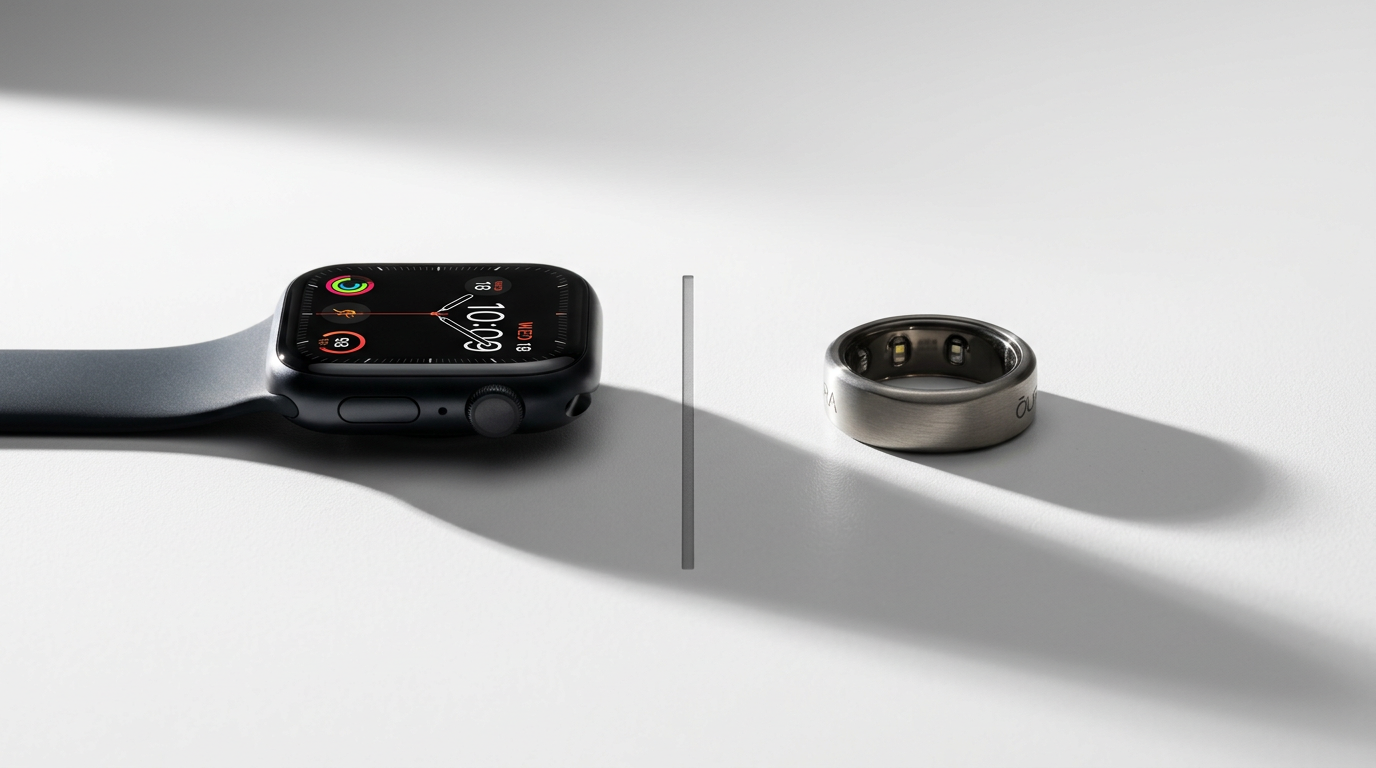
The Apple Watch and the Oura Ring represent two fundamentally different philosophies about health tracking. One sits on your wrist, does everything, lights up constantly, and dies by bedtime. The other disappears on your finger, tracks you passively, and quietly delivers insights you didn't know you needed. Neither is objectively better. They're answering different questions.
If you're here because you want someone to just tell you which one to buy, here's the short version: get the Oura Ring if sleep and recovery are your priority; get the Apple Watch if fitness tracking and smartwatch features matter more. If you have the budget, get both — but we'll get to that.
Now let's get into why, with actual specifics rather than marketing copy.
At a Glance: Key Differences
| Feature | Apple Watch Series 10 / Ultra 2 | Oura Ring 4 |
|---|---|---|
| Form factor | Wrist-worn smartwatch | Titanium ring |
| Starting price | $399 (Series 10) / $799 (Ultra 2) | $349 |
| Battery life | 18–36 hours | 5–7 days |
| Sleep tracking | Good | Excellent |
| HRV monitoring | Daytime spot checks + overnight | Continuous overnight |
| Fitness tracking | Excellent (GPS, real-time HR zones) | Basic (steps, activity goals) |
| Smart features | Notifications, apps, Siri, Apple Pay | None |
| Health sensors | ECG, SpO2, temperature, crash detection | SpO2, temperature, 3D accelerometer |
| Subscription | None required (Fitness+ optional at $10/mo) | $6/mo for full features |
| Water resistance | 50m (Series 10) / 100m (Ultra 2) | 100m |
The table tells part of the story, but the real differences show up when you live with these devices day after day. Let's dig into each category.
Sleep Tracking
Winner: Oura Ring — and it's not close.
This is the single biggest reason people choose Oura over Apple Watch, and it's entirely deserved. Wearing a ring to bed is effortless. Wearing a watch to bed — especially one that needs charging every night — creates friction that most people eventually abandon.
The Oura Ring 4 tracks sleep staging (light, deep, REM) with accuracy that independent studies have found comparable to clinical polysomnography for most users. It measures skin temperature continuously, which is genuinely useful for detecting illness onset, menstrual cycle phases, and recovery status. The sleep score algorithm weighs total sleep time, efficiency, latency, restfulness, REM percentage, and deep sleep percentage into a single number that, in our experience, actually reflects how rested you feel.
Apple Watch sleep tracking has improved significantly — watchOS 11 added more granular sleep stages and better overnight metrics. But the hardware problem remains: if your watch dies at 2 AM because you forgot to charge it after your evening run, you get no sleep data. Oura's 5–7 day battery means you simply don't think about charging. You slip it on the charger during your morning coffee, pick it up 20 minutes later, and you're set for days.
There's also the comfort factor. Some people genuinely cannot sleep with something on their wrist. A ring is virtually unnoticeable once you're used to it. This matters because the best sleep tracker is the one you actually wear to bed every single night.
HRV & Recovery
Winner: Oura Ring — for most people.
Heart rate variability is arguably the most important metric both devices track, and how they measure it differs significantly. If you're unfamiliar with why HRV matters, our guide to best wearables for HRV covers the science in depth.
Oura measures HRV continuously throughout the night using infrared photoplethysmography (PPG) sensors on the underside of the ring. Because your finger's arteries are closer to the surface than your wrist's, the signal quality tends to be higher. The ring captures your lowest resting HRV during deep sleep — which researchers consider the most reliable window for assessing autonomic nervous system recovery — and rolls it into a Readiness Score that also accounts for body temperature, resting heart rate, respiratory rate, and sleep quality.
Apple Watch can measure HRV overnight (it introduced this in watchOS 11) and also offers on-demand HRV readings via the Breathe app and the Health app. The watch uses SDNN (standard deviation of NN intervals), while Oura reports RMSSD (root mean square of successive differences). Both are valid metrics, but RMSSD is generally considered more useful for recovery assessment because it specifically reflects parasympathetic activity.
The practical difference: Oura's Readiness Score is designed to be the first thing you check in the morning. It tells you, in plain language, whether your body is recovered and ready for a hard training day or whether you should back off. Apple Watch gives you the raw data, but the actionable interpretation is less streamlined unless you use a third-party app.
Fitness & Workout Tracking
Winner: Apple Watch — convincingly.
If your primary goal is tracking workouts, the Apple Watch is in a completely different league. Built-in GPS means you get accurate pace, distance, and route mapping for runs, rides, hikes, and swims without carrying your phone. Real-time heart rate zones displayed on your wrist during a workout let you train by intensity rather than guessing. Automatic workout detection means the watch notices when you've started running or swimming and starts logging.
The workout library is enormous — over 100 workout types in watchOS 12, including niche activities like pickleball, paddle boarding, and functional strength training. Integration with Apple Fitness+ provides structured workouts with real-time metrics overlaid on your screen, which is genuinely compelling if you're in the Apple ecosystem.
Oura Ring tracks activity in a general sense — steps, active calories, movement goals — but it's not a workout tracker. There's no GPS. No real-time heart rate display during exercise. No workout detection. The ring can infer that you did "something active" based on elevated heart rate and motion, but the detail and precision don't compare. For runners, cyclists, swimmers, or anyone following a structured training program, Oura simply isn't sufficient as a standalone fitness device.
That said, Oura's Activity Score does a reasonable job of balancing your activity against your recovery status, nudging you toward rest days when your body needs them. It's a different philosophy — less "track every rep" and more "are you doing enough without overdoing it." For people who don't need granular workout data, this approach can actually be healthier.
Browse All Products
Explore our evidence-based product reviews across every health category.
Health Monitoring
Winner: Apple Watch — more sensors, more safety features.
Apple Watch packs serious medical-grade hardware. The ECG app can detect atrial fibrillation and generate a PDF you can share with your doctor. Crash detection and fall detection can automatically call emergency services. High and low heart rate notifications have genuinely saved lives — there are documented cases of people discovering cardiac conditions they didn't know about.
Both devices measure blood oxygen (SpO2), though Apple has had legal complications with this feature in the US due to the Masimo patent dispute — check current availability in your region.
Temperature tracking exists on both, but Oura's implementation is more useful for continuous trend analysis. The ring takes temperature readings throughout the night and tracks deviations from your personal baseline. Many users report that Oura detects illness 1–2 days before symptoms appear, based on elevated overnight temperature. Apple Watch measures wrist temperature overnight as well, but primarily surfaces it through the Cycle Tracking feature rather than as a general health metric.
If safety features matter to you — and they should if you're older, have a heart condition, or engage in outdoor activities — the Apple Watch is the clear choice. The Oura Ring has no way to call for help, display emergency information, or detect a serious fall.
Battery Life
Winner: Oura Ring — by a massive margin.
This isn't even a contest. The Oura Ring lasts 5–7 days on a single charge. The Apple Watch Series 10 lasts about 18 hours in normal use, or up to 36 hours in Low Power Mode (which disables several tracking features). The Apple Watch Ultra 2 stretches to about 36 hours in normal use, 72 hours in Low Power Mode.
What this means practically: you will develop a charging routine with Apple Watch. For most people, that's topping up while showering and getting ready in the morning, or wearing it to bed and charging during a morning routine. It's manageable, but it's a daily consideration. With Oura, you charge for 20–30 minutes every 5–6 days and forget about it.
Battery life also directly impacts data completeness. Miss a charge window with Apple Watch and you lose sleep data or have gaps in your daytime tracking. Oura's long battery life means near-perfect data continuity, which matters for accurate trend analysis over weeks and months.
Smart Features
Winner: Apple Watch — there's no competition here.
Apple Watch is a full-featured smartwatch. Notifications, phone calls, messaging, Apple Pay, Siri, turn-by-turn navigation, music streaming, podcasts, third-party apps — it does all of it. For iPhone users, it's the most seamless extension of your phone that exists.
Oura Ring is a ring. It has no screen, no speaker, no microphone, no apps. It doesn't buzz when you get a text. It doesn't let you pay for coffee. It collects data and sends it to your phone. That's it.
Whether this is a pro or a con depends entirely on your perspective. Some people specifically want a health tracker that isn't a smartwatch — no distractions, no notifications pulling your attention, nothing to fidget with during a meeting. The ring's simplicity is, for these users, the entire point. Others want their wrist device to do everything, and the Apple Watch delivers on that promise better than any competitor.
The Subscription Question
This is where Oura draws the most criticism. The ring itself costs $349, and then Oura charges $5.99/month (or $69.99/year) for a membership that unlocks most of the useful features — detailed sleep analysis, Readiness Score, personalized health insights, and guided content. Without the subscription, you get basic sleep and activity tracking, but lose the insights that make the data actionable.
For context, that's roughly $70/year on top of the hardware cost. Over three years (the typical upgrade cycle), you're looking at $349 + $210 = $559 total cost of ownership.
Apple Watch requires no subscription for any health or fitness feature. Everything — ECG, sleep tracking, HRV, activity tracking, notifications — is included with the hardware purchase. Apple Fitness+ is an optional $9.99/month subscription for guided workouts, but it's not required for any tracking functionality.
This doesn't necessarily make Oura a bad value — the subscription funds continuous software improvements and new features — but it's a legitimate consideration. If you're comparing a $399 Apple Watch Series 10 (no subscription) against a $349 Oura Ring ($6/month subscription), the three-year cost is actually quite similar: $399 vs $559. The Apple Watch Ultra 2 at $799 is more expensive regardless.
Get smarter about health tech
Deal alerts, new reviews, and health tips — delivered weekly. No spam.
Unsubscribe anytime. We respect your inbox.
Who Should Buy What
Buy the Oura Ring if you:
- Prioritize sleep tracking above all other metrics. Oura is the gold standard for consumer sleep tracking, and the ring form factor makes nightly wear effortless.
- Want a recovery-focused device. The Readiness Score is the best consumer implementation of "should I train hard today or rest" that we've tested.
- Hate wearing a watch to bed. This is a real dealbreaker for many people, and it's perfectly valid.
- Want multi-day battery life. Charge it twice a week and forget about it.
- Prefer a discreet form factor. No one knows you're wearing a health tracker unless you tell them.
For a deeper look, check our full Oura Ring 4 review.
Buy the Apple Watch if you:
- Want a serious fitness tracker. GPS, real-time heart rate zones, workout detection, and deep integration with the Apple ecosystem.
- Need smartwatch features. Notifications, apps, payments, calls — the Watch does it all.
- Value safety features. ECG, fall detection, crash detection, and emergency SOS could literally save your life.
- Don't want a subscription. Every tracking feature works out of the box with no ongoing cost.
- Already live in the Apple ecosystem. The Watch ties together iPhone, AirPods, Mac, and HomeKit in ways no third-party device can match.
Can You Wear Both?
Yes — and a surprising number of serious health trackers do exactly this. The complementary use case is compelling:
Oura handles sleep and recovery. Wear it 24/7, never think about it, and check your Readiness Score every morning. The ring is your passive, always-on health baseline.
Apple Watch handles fitness and daily life. Wear it during the day for workouts, notifications, and smart features. Charge it overnight while Oura captures your sleep data.
This dual-device approach actually solves the Apple Watch's biggest weakness (sleep tracking requires overnight wear, which conflicts with overnight charging) and compensates for Oura's biggest limitation (no real-time workout tracking).
If you also use a WHOOP strap, the comparison gets even more interesting — see our Oura vs WHOOP breakdown for how those two stack up. The three-way comparison between WHOOP vs Oura vs Apple Watch is the question we get asked most often, and the honest answer is that the best choice depends entirely on what you value.
The cost of wearing both is real — roughly $750+ in hardware — but if health data quality is important to you and you can swing the budget, the Oura + Apple Watch combination is the most comprehensive consumer health tracking setup available in 2026.
FAQ
Is the Oura Ring more accurate than the Apple Watch for sleep tracking?
Generally, yes. Independent validation studies have found Oura's sleep staging accuracy to be closer to clinical polysomnography than most wrist-worn devices. The finger location provides a stronger PPG signal, and the ring's form factor encourages consistent nightly wear, which improves data quality over time. That said, Apple Watch sleep tracking has improved significantly and is adequate for most people who don't need research-grade precision.
Can the Oura Ring replace an Apple Watch?
Not for most people. If you use your Apple Watch for workouts, notifications, navigation, or payments, the Oura Ring doesn't replace any of that functionality. However, if you primarily use your Apple Watch for sleep and health tracking and don't care about smart features, the Oura Ring can replace it for those specific use cases — and arguably does them better.
Is the Oura Ring subscription worth it?
For most users, yes. The free tier is too limited to justify the hardware cost. The subscription unlocks the Readiness Score, detailed sleep analysis, and personalized insights that make the ring's data genuinely actionable. At roughly $6/month, it's significantly cheaper than WHOOP's $30/month membership, and the value proposition is reasonable — though we understand the frustration of paying ongoing fees for a device you already bought.
Which is better for HRV tracking?
Oura is better for passive, overnight HRV tracking that feeds into a recovery and readiness framework. Apple Watch is better if you want on-demand HRV readings throughout the day. For the specific question "am I recovered enough to train hard today," Oura's implementation is more refined. For a broader look at HRV tracking options, see our guide to the best wearables for HRV.
Which has better value for money?
It depends on your use case. If you want a health tracker and a smartwatch, the Apple Watch is better value because you're getting two devices in one with no subscription. If you exclusively care about sleep and recovery data, the Oura Ring delivers superior data in those categories at a lower hardware cost (though the subscription narrows the gap over time). For sleep-focused buyers, see our best sleep trackers guide for the full landscape.
Featured Products
Products mentioned in this article
Related Guides
More articles you might find helpful
Wonderfeel Youngr vs NOVOS Boost (2026): Which NMN Wins?
*Updated July 2026*
Most Accurate CGM in 2026: MARD Scores Compared (Every Sensor)
*Updated July 2026*
Dexcom Stelo vs Abbott Lingo (2026): Accuracy, Price, App Compared
*Updated July 2026*

Written by
Steve Luu
Health tech researcher